


Do you want to know what happens when you break a Donkey Kong 64 cartridge by messing up the Intro Story Glitch? Well keep reading.
You're going to take a little adventure through one of the biggest gaming mistakes that I have ever made.
Donkey Kong 64 is one of my favourite games. It's one of the first console games that I played (aside from Super Mario Bros/Duck Hunt on the NES and Super Mario 64) and still play to this day. Young me loved to play it very much. I loved how big the world was how many items you could collect. Along with the super-awesome soundtrack and vibrant colours, it just happened to be one of those games for me that hooked me right in. As a kid, being able to explore new worlds is very exciting, and DK Isles was the perfect place for little me to wander around and act like a monkey.
Anyway, years go by and I learned many things about the game. stumbling upon David Wonn's Unique Video Game Glitches website in my earlier years, I noticed it contains a bunch of glitches for the game that I learned to do over time. One of these glitches is called the Intro Story Glitch. It basically involves going into the game's cutscene repository in the main menu and starting the Intro Story cutscene video. As soon as the screen fades in to the cutscene, you press A, and if done correctly, you'll go back to the main menu but no music is playing. That's it, that's the glitch. Cool, right? Actually, not really. If you do this, you just "primed" your game. This means that, if you perform certain actions or enter certain areas while in a save, sometimes you will trigger the rest of the Intro Story cutscene to begin playing out of nowhere. For instance, if you enter the DK treehouse area from DK Isle or vice verca, sometimes the cutscene will fade in instead. Then you have to watch the whole thing and wait it out until it finishes before you can begin playing again.
All of that still seems relatively harmless, though, right? After all, when the cutscene finishes, you're left in the treehouse at the very beginning of the game. But what happens if you're using a Gameshark and then do the Intro Story Glitch?
Shit. Shit happens.
If you're running around with a bunch of Gameshark codes turned on and then you do the Intro Story Glitch, you've basically screwed up.
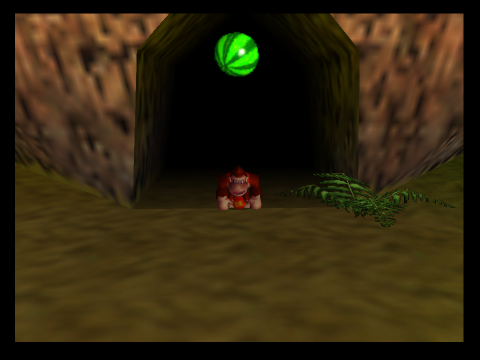
I was playing with the infinite health cheatcode turned on. I went and performed the Intro Story Glitch. I went into the game and made a level transition. The cutscene appeared and played to the end. I was left standing in DK's treehouse. I restarted the console and turned off the infinite health cheatcode. I went back into the game. I knocked out a beaver. I tried to pick up its watermelon.
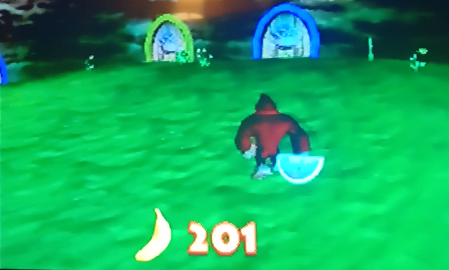 My character did not pick it up.
The beaver re-spawned. I ran into said beaver. I immediately died instead of losing just a watermelon slice.
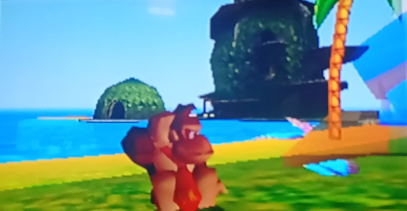
Uh-oh. Game bricked.
I wrote on it "corrupted" and put it in my drawer, never to be played again.
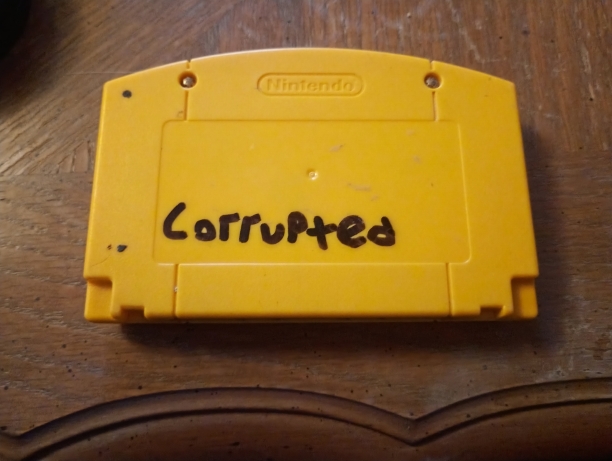
About ten or more years pass and I still have this corrupted cartridge just chilling in a drawer. One day I was bored and remembered about it. I still had my Gameshark and my Nintendo 64. After doing a little bit of research, I learned that one can dump an entire cartridge using a program called GameShark Code Creator, as long as you have a Windows 98 Operating System, a parallel port on the computer and a parallel cable. Check, check, check and check. I have everything needed to dump my corrupted Donkey Kong 64 cartridge and play it on an emulator.
I whipped out one of my vintage desktop computers, quickly made a Windows 98 setup CD, plopped it in the desktop and installed it. I transferred over the GSCC program that I downloaded from my main PC and loaded it up. I put the Gameshark with the corrupted cartridge on top of it in my Nintendo 64, plugged in the parallel port on the back of the Gameshark to the computer and went back to the GSCC program. So far, everything was being detected properly, so I hit the "dump ROM" button in the program.
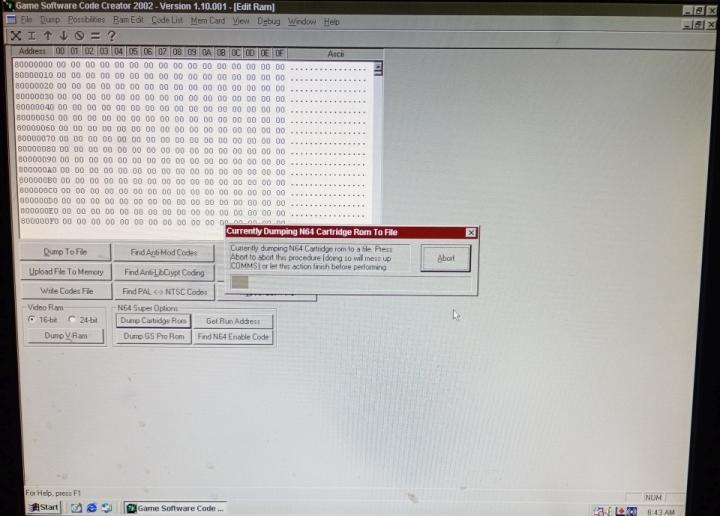
To my surprise the program actually started doing something. It was dumping the cartridge on to my computer's hard drive. The Gameshark's display light was doing a little spin thing, indicating that data was being transferred. Cool.
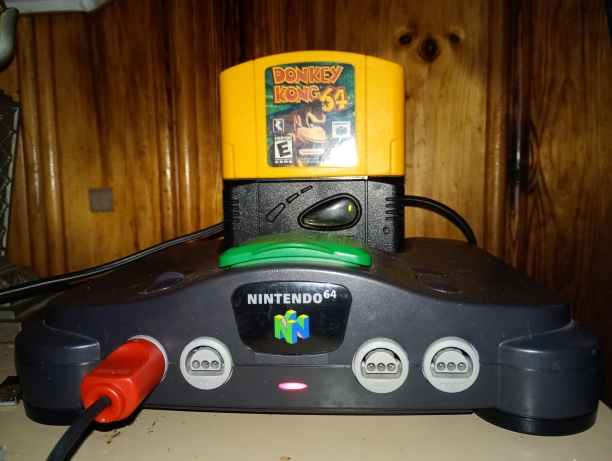
Since Donkey Konk 64 is one of the larger games for the Nintendo 64, it took well over half an hour to dump the ROM. It did finish, though, with no errors or cut outs. On my hard drive contained the ROM of the corrupted cartridge that had been sitting dormant in my drawer for years and years, ready to be played once more, only this time on an emulator on a computer.
I transferred the ROM to my main computer and loaded it up inside of M64Py, my preferred emulator. At first I wasn't sure if M64Py was even able to load my ROM, because the ROM that was dumped was a .bin file, while M64Py can only find the more common .z64, .n64 extensions.
However, apparently it doesn't matter if it's a .bin file. A dumped ROM with a .bin extension is just a .z64 file with a different extension. So all I did was make M64Py look for all files and I selected the dumped .bin file. It loaded just fine, and instantly the well-known Nintendo logo in red bold letters with a circle around it appeared and the game was loading.
This is it. My intention of dumping the cartridge in the first place was to see if the ROM was going to have the same corruptions as the cartridg, and now I was about to see if this was true. After clicking through the main menu cutscenes and entering the first save (which was empty, since the save data does not transer over in the dump), I was playing as Donkey Kong in the DK treehouse. I had to go through Cranky's stupid challenges to get out into DK Isle, and now it was time to test if this ROM was also broken. I killed the first beaver over by the entrance to Jungle Japes and grabbed its watermelon that it dropped.
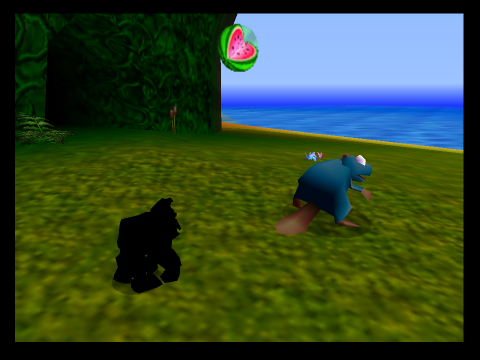
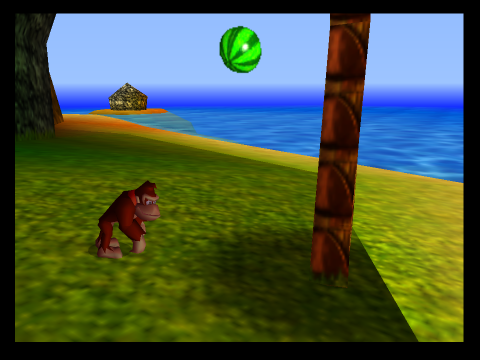
Donkey Kong picked it up.
Well, that's it. The ROM itself is not broken! But why? How? How is it that the ROM can be perfectly fine, but the cartridge is completely messed up?
Well I'll tell you. The data inside of the cartridge is not corrupt, obviously, and that means one thing: it's the EEPROM data that got corrupted, not the ROM itself. Let me explain a little bit.
When you save in Donkey Kong 64, the game stores your progress inside a tiny memory chip inside the cartridge called an EEPROM. The whole chip only holds 2 kilobytes of data. That's smaller than a single photo thumbnail today. Because it's so small, the game has to be very efficient and careful with how it stores your progress.
Instead of acting like a modern hard drive, the chip is split into 64 little pages. Each page holds 32 bytes of data. The game can only read or write one page at a time. Inside those pages, the game stores three main things:
Global settings: things like sound, screen settings, rumble settings, etc
Your save files: Each save slot contains your entire adventure - which worlds are unlocked, which bosses are beaten, which keys you've turned in, every collectible you've found, which abilities and upgrades you bought and where you last saved in the world to name just a few examples.
A snapshot of your character: When you save, the game remembers your current situation - which level you're in, your health, ammo and film and your position.
The game stores TWO COPIES of every save file. So instead of Save A, Save B, Save C, the cartridge actually holds Save A copy #1, Save A copy #2, Save B copy #1, Save B copy #2 etc. Each copy also has a small "checksum" which is like a little math fingerprint.
Why?
If the power goes out while saving, one copy might break. When the game loads, it:
- Checks both copies
- Finds the one that isn't corrupted
- Uses the newest working one
This is why N64 saves almost never get corrupted. Nintendo was paranoid about protecting your progress.
When you hit "Save & Quit", the game collects all your progess in memory, creates a checksum, updates the save counter, writes the data to the chip page-by-page, and then writes back the copy.
The EEPROM doesn't use a battery, can be re-written about 100,000 times and can hold data for decades. In normal use, it will basically last forever.
Normally the game is very good at protecting your save. But if the data inside the cartridge's memory chip gets damaged, things can start to behave in really strange ways. When save data gets corrupted, random bits flip from YES to NO, NO to YES etc. The game still tries to follow the list, even if the list makes no sense anymore.
Objects in DK64 don't just "exist" automatically. They only work if certain internal flags say they should. Example simplified logic:
If player_can_pickup_health == TRUE allow watermelon pickup Else do nothing
If corruption flips that flag to FALSE, the game suddenly believes "You are not allowed to pick up health." So watermelons appear, but do nothing. To the game, this is intentional behaviour.
Because everything is controlled by flags, corruption can cause items to stop working:
Can't pick up health
Ammo crates do nothing
Collectibles won't register
The save data is still valid data. Its's just wrong data. The checksum system only checks "Did the data save correctly?" It does NOT check "Does this data make logical sense?" So the game happily loads a save that says things are fine when in reality you're playing a glitched up mess. And then the engine tries to obey those impossible rules. That's where glitches come from.
Anyway, years go by and I learned many things about the game. stumbling upon David Wonn's Unique Video Game Glitches website in my earlier years, I noticed it contains a bunch of glitches for the game that I learned to do over time. One of these glitches is called the Intro Story Glitch. It basically involves going into the game's cutscene repository in the main menu and starting the Intro Story cutscene video. As soon as the screen fades in to the cutscene, you press A, and if done correctly, you'll go back to the main menu but no music is playing. That's it, that's the glitch. Cool, right? Actually, not really. If you do this, you just "primed" your game. This means that, if you perform certain actions or enter certain areas while in a save, sometimes you will trigger the rest of the Intro Story cutscene to begin playing out of nowhere. For instance, if you enter the DK treehouse area from DK Isle or vice verca, sometimes the cutscene will fade in instead. Then you have to watch the whole thing and wait it out until it finishes before you can begin playing again.
All of that still seems relatively harmless, though, right? After all, when the cutscene finishes, you're left in the treehouse at the very beginning of the game. But what happens if you're using a Gameshark and then do the Intro Story Glitch?
Shit. Shit happens.
If you're running around with a bunch of Gameshark codes turned on and then you do the Intro Story Glitch, you've basically screwed up.
I was playing with the infinite health cheatcode turned on. I went and performed the Intro Story Glitch. I went into the game and made a level transition. The cutscene appeared and played to the end. I was left standing in DK's treehouse. I restarted the console and turned off the infinite health cheatcode. I went back into the game. I knocked out a beaver. I tried to pick up its watermelon.
My character did not pick it up.
The beaver re-spawned. I ran into said beaver. I immediately died instead of losing just a watermelon slice.
Uh-oh. Game bricked.
I wrote on it "corrupted" and put it in my drawer, never to be played again.
About ten or more years pass and I still have this corrupted cartridge just chilling in a drawer. One day I was bored and remembered about it. I still had my Gameshark and my Nintendo 64. After doing a little bit of research, I learned that one can dump an entire cartridge using a program called GameShark Code Creator, as long as you have a Windows 98 Operating System, a parallel port on the computer and a parallel cable. Check, check, check and check. I have everything needed to dump my corrupted Donkey Kong 64 cartridge and play it on an emulator.
I whipped out one of my vintage desktop computers, quickly made a Windows 98 setup CD, plopped it in the desktop and installed it. I transferred over the GSCC program that I downloaded from my main PC and loaded it up. I put the Gameshark with the corrupted cartridge on top of it in my Nintendo 64, plugged in the parallel port on the back of the Gameshark to the computer and went back to the GSCC program. So far, everything was being detected properly, so I hit the "dump ROM" button in the program.
To my surprise the program actually started doing something. It was dumping the cartridge on to my computer's hard drive. The Gameshark's display light was doing a little spin thing, indicating that data was being transferred. Cool.
Since Donkey Konk 64 is one of the larger games for the Nintendo 64, it took well over half an hour to dump the ROM. It did finish, though, with no errors or cut outs. On my hard drive contained the ROM of the corrupted cartridge that had been sitting dormant in my drawer for years and years, ready to be played once more, only this time on an emulator on a computer.
I transferred the ROM to my main computer and loaded it up inside of M64Py, my preferred emulator. At first I wasn't sure if M64Py was even able to load my ROM, because the ROM that was dumped was a .bin file, while M64Py can only find the more common .z64, .n64 extensions.
However, apparently it doesn't matter if it's a .bin file. A dumped ROM with a .bin extension is just a .z64 file with a different extension. So all I did was make M64Py look for all files and I selected the dumped .bin file. It loaded just fine, and instantly the well-known Nintendo logo in red bold letters with a circle around it appeared and the game was loading.
This is it. My intention of dumping the cartridge in the first place was to see if the ROM was going to have the same corruptions as the cartridg, and now I was about to see if this was true. After clicking through the main menu cutscenes and entering the first save (which was empty, since the save data does not transer over in the dump), I was playing as Donkey Kong in the DK treehouse. I had to go through Cranky's stupid challenges to get out into DK Isle, and now it was time to test if this ROM was also broken. I killed the first beaver over by the entrance to Jungle Japes and grabbed its watermelon that it dropped.
Donkey Kong picked it up.
Well, that's it. The ROM itself is not broken! But why? How? How is it that the ROM can be perfectly fine, but the cartridge is completely messed up?
Well I'll tell you. The data inside of the cartridge is not corrupt, obviously, and that means one thing: it's the EEPROM data that got corrupted, not the ROM itself. Let me explain a little bit.
When you save in Donkey Kong 64, the game stores your progress inside a tiny memory chip inside the cartridge called an EEPROM. The whole chip only holds 2 kilobytes of data. That's smaller than a single photo thumbnail today. Because it's so small, the game has to be very efficient and careful with how it stores your progress.
Instead of acting like a modern hard drive, the chip is split into 64 little pages. Each page holds 32 bytes of data. The game can only read or write one page at a time. Inside those pages, the game stores three main things:
Global settings: things like sound, screen settings, rumble settings, etc
Your save files: Each save slot contains your entire adventure - which worlds are unlocked, which bosses are beaten, which keys you've turned in, every collectible you've found, which abilities and upgrades you bought and where you last saved in the world to name just a few examples.
A snapshot of your character: When you save, the game remembers your current situation - which level you're in, your health, ammo and film and your position.
The game stores TWO COPIES of every save file. So instead of Save A, Save B, Save C, the cartridge actually holds Save A copy #1, Save A copy #2, Save B copy #1, Save B copy #2 etc. Each copy also has a small "checksum" which is like a little math fingerprint.
Why?
If the power goes out while saving, one copy might break. When the game loads, it:
- Checks both copies
- Finds the one that isn't corrupted
- Uses the newest working one
This is why N64 saves almost never get corrupted. Nintendo was paranoid about protecting your progress.
When you hit "Save & Quit", the game collects all your progess in memory, creates a checksum, updates the save counter, writes the data to the chip page-by-page, and then writes back the copy.
The EEPROM doesn't use a battery, can be re-written about 100,000 times and can hold data for decades. In normal use, it will basically last forever.
Normally the game is very good at protecting your save. But if the data inside the cartridge's memory chip gets damaged, things can start to behave in really strange ways. When save data gets corrupted, random bits flip from YES to NO, NO to YES etc. The game still tries to follow the list, even if the list makes no sense anymore.
Objects in DK64 don't just "exist" automatically. They only work if certain internal flags say they should. Example simplified logic:
If player_can_pickup_health == TRUE allow watermelon pickup Else do nothing
If corruption flips that flag to FALSE, the game suddenly believes "You are not allowed to pick up health." So watermelons appear, but do nothing. To the game, this is intentional behaviour.
Because everything is controlled by flags, corruption can cause items to stop working:
Can't pick up health
Ammo crates do nothing
Collectibles won't register
The save data is still valid data. Its's just wrong data. The checksum system only checks "Did the data save correctly?" It does NOT check "Does this data make logical sense?" So the game happily loads a save that says things are fine when in reality you're playing a glitched up mess. And then the engine tries to obey those impossible rules. That's where glitches come from.